A birthday newspaper template turns a person’s milestones into a front-page headline — a novelty keepsake that works as a party decoration, a gift insert, or a photo-book-style memento. The 6 templates below cover single front pages, multi-page magazine layouts, and Canva-editable spreads.
This birthday newspaper library includes both Photoshop/Ms Word files and Canva-editable sets, so the choice mostly comes down to whether you want a one-page front cover or a full multi-page keepsake.
See also: birthday letter design ideas if you want more personalized, text-driven keepsake formats.
Quick Answer: This guide covers 6 birthday newspaper and magazine templates — PSD, Ms Word, Canva, and Illustrator formats ranging from a single front page to a 12-page keepsake magazine. Each is editable and available for instant download.
If you want a full keepsake rather than a single decorative page, look for a multi-page magazine or double-spread layout instead of a front-page-only template.
All templates are digital downloads. Add your own photos and text, then print at 300 DPI or share the file digitally.
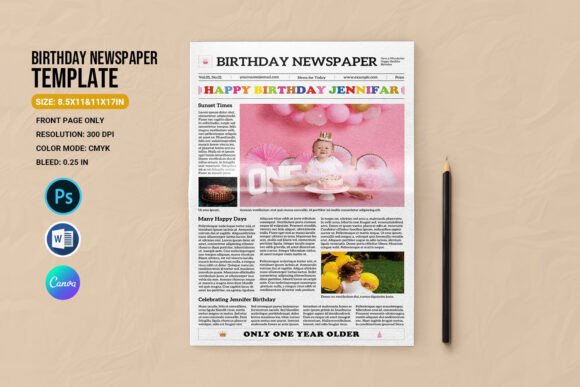
1. Birthday Newspaper Template
Front page only, sized 8.5×11 and 11×17 inches, 300 dpi CMYK with 0.25 in bleed. Working files: Photoshop CS2/CS5 (PSD) and Ms Word 2007-2013 (DOCX). Font download link included in the help file.
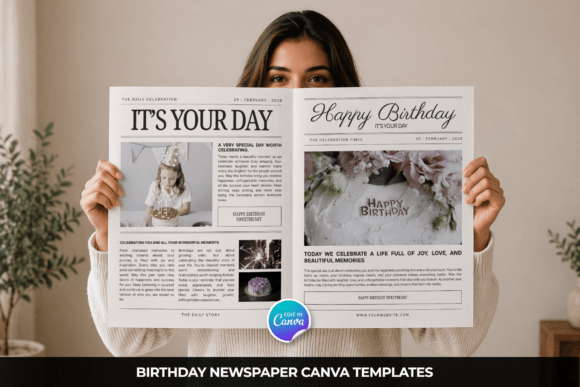
2. Birthday Newspaper Canva Template
A 9-page Canva-editable set covering A4, US Letter, 11×17, A3 double-page spread, 17×11 double-page spread, and A2 quad layout sizes, styled in a black-and-white modern newspaper aesthetic with drag-and-drop editing.
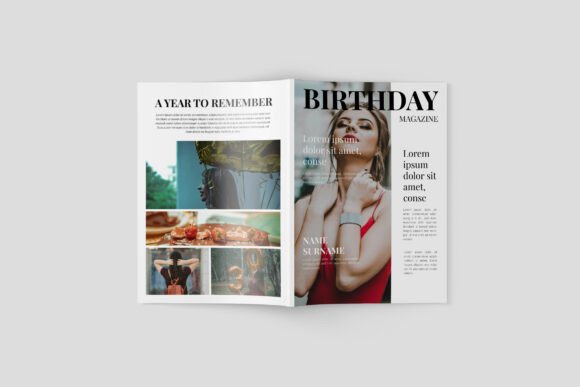
3. Birthday Magazine Template
A 12-page A4 magazine layout built in Adobe Illustrator CC, delivered in AI and EPS formats at 300 DPI. The multi-page magazine format works well for a full birthday keepsake book rather than a single front page.
Want to see more birthday newspaper styles? Browse All Birthday Newspaper Templates →
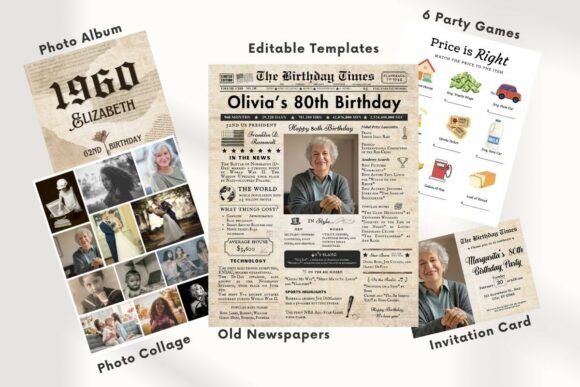
4. EDITABLE 80 Birthday Newspaper
A Canva-editable birthday newspaper template built for milestone celebrations, doubling as a birthday invite or infographic-style keepsake once customized with photos and text.
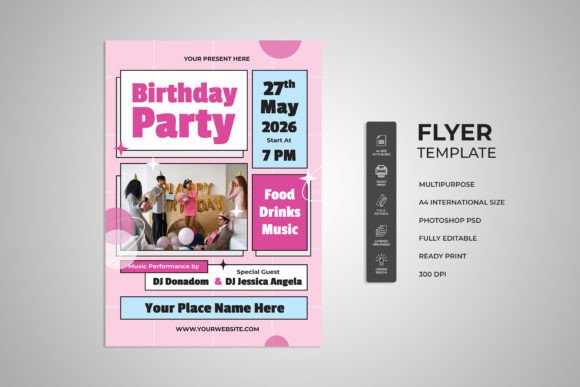
5. Pink Birthday Party Flyer
An A4-sized PSD flyer at 300 DPI CMYK with organized layers and smart objects for swapping in photos — a pink-toned party flyer alternative if a newspaper layout isn’t quite the right fit.
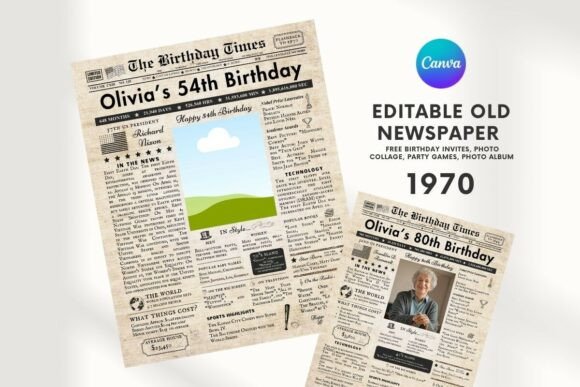
6. EDITABLE 54 Birthday Newspaper
A second Canva-editable birthday newspaper template in the same designtwits series, built for capturing life milestones and fun facts about the birthday celebrant in a nostalgic, print-ready layout.
For more personalized keepsake ideas, see our birthday letter design ideas collection.
Browse All Birthday Newspaper Templates →
Key Takeaways
- Front-page-only templates suit a quick decorative print, while multi-page magazine or double-spread layouts work better as a lasting keepsake.
- Canva-editable templates need no design software, while PSD and AI files require Photoshop or Illustrator.
- Photos are not included in any of these templates — you’ll need your own images to complete the layout.
- A pink party flyer option is included here as an alternative if a newspaper-style layout doesn’t fit the occasion.
Frequently Asked Questions
Do I need Photoshop to edit these templates?
Only for the PSD and Ms Word files. Several templates in this list are Canva-editable, which works entirely in the browser without extra software.
Are photos included with the templates?
No — preview photos are for reference only. You’ll need to add your own images when customizing the template.
What size should I print a birthday newspaper?
Front-page templates typically come in 8.5×11 or 11×17 inch sizes. Multi-page magazine templates are usually A4, so check the product listing before printing.
Can I turn this into a multi-page keepsake book?
Yes — the 9-page Canva set and the 12-page Illustrator magazine template are both built for a full multi-page keepsake rather than a single decorative page.
Do these newspaper templates work for a milestone birthday, not just a general one?
Yes — the headline and article text boxes are fully editable, so you can rework the copy around a specific milestone like a 30th or 50th birthday rather than using the generic wording shown in the preview.