Set the page to 5 by 7 inches. Keep every word and every line 0.25 inches inside the edge. Set the name no smaller than 36 pt when the font is a script. Those three numbers decide whether your Aesthetic Birthday Invitation Template looks in your hand the way it looked on your screen, and you set all three before you choose a single colour.
The style you are paying for lives in a border and a thin stroke, and both of them are fragile. An editable birthday invitation Canva bundle is far easier to tame than a flat PDF, because you can move the fragile parts.
Quick answer: what size should a birthday invitation be
- Size: 5 by 7 inches, 1500 by 2100 pixels at 300 DPI.
- Safe margin: 0.25 inches inside the trim for text and frames.
- Bleed: 0.125 inches a side, so your artboard is 5.25 by 7.25.
- Type size: name at 36 pt, details at 11 pt to 12 pt, no script under 18 pt.
- Paper: 80 lb cover is about 216 gsm; 250 gsm is the weight that feels like an invitation.
The short version: you are buying a layout, not a result. Judge an aesthetic file on three things. Page size, whether the border sits inside the safe margin, and whether the headline is live text you can enlarge.
Everything below is the order I work in, and it is the reverse of how the shops present it. Size first, margin second, font third. Pretty comes last, because pretty survives when the first three are right. Start from a file that names its print size and you have already won the argument.
Why a pretty invitation stops reading at arm’s length
You saw the file at the size of your monitor. Your guest sees it at the size of a postcard, in a hallway, holding a coat.
That gap is the whole problem. A minimalist layout works by having very little on it, so each element carries weight. Shrink it and the thin parts go first.
Three things break at card size, every time:
- The hairline border, because your printer keeps the outer strip of the sheet.
- The script name, because a connected stroke needs height to stay a letter.
- The date line in small caps, because tracking that looked airy now looks broken.
I have thrown away a sheet over each of those. The third one stung most, because the file was faultless and the mistake was mine.
An aesthetic birthday invitation is sold on how it looks at screen size and judged on how it reads at card size. Those are two different designs, and only one of them arrives in your download.
So your test is not whether you like it. Your test is whether you can still read it at arm’s length after it leaves the tray.
Print one before you print twenty. Plain paper, real size, then hold it where a guest would stand. You will know in two seconds, and a font with tall lowercase letters is what usually passes that test.
Pick the print size before you pick the aesthetic
Pick your card size first. The size sets the margin, the margin sets how much room the border gets, and that border is most of what makes the style.
Do it the other way around and you will fall in love with a layout your sheet cannot carry.
| Card size | At 300 DPI | Per Letter sheet | What it suits |
|---|---|---|---|
| 5 by 7 in | 1500 by 2100 px | One upright, two sideways | The default. Fits a standard card envelope. |
| 4 by 6 in | Multiply each side by 300 | Two | Cheaper postage, less room for a script name. |
| 4.25 by 5.5 in | Multiply each side by 300 | Four | No waste. Details must drop to 11 pt. |
| A6 | Set the page in millimetres | Two | Non-US paper. Rarely offered by these files. |
Add the bleed to whichever row you choose. At 5 by 7 that makes your artboard 5.25 by 7.25 inches, and the same 0.125 inches a side applies at every other size.
The shops barely mention any of this. Across the birthday invitation market, 13050 cards are on offer and 5411 of them sell themselves on the words aesthetic, minimalist, boho, elegant or neutral.
Among those 5411, the print size 5 by 7 is named on 355 product pages. 4 by 6 on 9. A6 on 10. The phrase 300 DPI appears on 87.
So a style is promised everywhere and a page size on roughly one page in fifteen. That is why your first print is a surprise.
When a page does name its size, that alone puts it ahead of most. A file that states the size and stays editable is one you can plan around, and the blank invitation template you type and print covers the same ground for a plain layout.
The border is the first thing your printer takes
Here is the number that explains most ruined evenings. Among those same 5411 aesthetic cards, border appears in 984 descriptions and frame in 1098. Bleed appears in 3. Trim appears in 15. Safe area and margin appear in none of them.
Read that again, because it is this article in two lines. The thing being sold is a line near the edge. The number that keeps that line on your paper is published almost nowhere.
Your printer keeps a strip of every sheet for itself. Art inside that strip never reaches paper. A frame drawn at the very edge is a frame drawn in the one place your hardware cannot print.
Two numbers fix it, and they are not the same number:
- Bleed, 0.125 inches: extend your background past the trim so a cut that wanders still lands on colour.
- Safe margin, 0.25 inches: keep every word and every line inside that, so a wandering cut never touches them.
My rule is blunt. When the border sits closer than a quarter inch to the trim, I move the border, not the cut. The border is yours to move in an editable file and not yours to move in a flat PDF.
That is usually where a free download ends. The page on invitations that print without cut edges walks the same wall from the layout side, and a free wreath you place yourself sidesteps it completely.
Bleed protects your paper. The safe margin protects your words. Confuse them and you will solve the wrong half of the problem.
Script fonts that still read at 5 by 7
Seven of the ten files that passed my demand check for this page are fonts. Not layouts. Fonts.
That tells you where the style actually lives. You can rebuild a minimalist card in an afternoon with a rectangle and two text boxes. You cannot rebuild the lettering.
What you want from a script at card size is height, not flourish. Tall lowercase letters stay legible when the whole card shrinks. Long swashes do not.
I set the name first, print it, then decide whether the font earned its place. These six survived that on my own sheets:
- Simple Handwriting Font, rated 4.8 across 51 reviews, is the safest of the set. Fluid, contemporary, and the lowercase keeps its height, so a long name at 36 pt still holds together.
- Shelly Font, rated 5.0 across 46 reviews, is your elegant option. Use it for the name alone and set the date in something plain, because its charm fades under 18 pt.
- Spring Hills, rated 5.0 across 35 reviews with 916 saves, is the romantic one. It carries a boho birthday invitation template well, especially beside a dried flower palette.
- Ashley Southine Font, rated 5.0 across 26 reviews, is modern and chic rather than classical. The strokes are even, which is what you want when the card is small.
- Fairyfiesta Font, rated 5.0 across 22 reviews, is copperplate calligraphy. Beautiful on a milestone card, and the one here I would never set under 24 pt.
- Milkshake Font, rated 5.0 across 21 reviews, is delicate and refined. Pair it with a sturdier sans for the address block and nothing fights.
Best if you are building the card yourself and you need it to look bought. Not for a flat PDF, where the lettering is already a picture.
Two rules I will not bend. Your name goes at 36 pt. Your details go at 11 pt to 12 pt, in something that is not a script at all.
A card for an adult evening wants a different pairing from a child’s party, and the elegant invitation style guide takes that side of it.
The paper weight that keeps thin strokes alive
A thin stroke on thin paper spreads. Ink wicks sideways into the fibre, and the hairline you chose becomes a grey smudge.
So weight is not only about feel, although feel matters when somebody holds it. Weight decides whether the style you paid for arrives at all.
Translate the two units once and you can stop guessing. 80 lb cover is about 216 gsm. An invitation that feels like an invitation sits nearer 250 gsm.
What your choice does to the card:
- 216 gsm: feeds reliably through a home printer, holds a hairline, feels like a good postcard.
- 250 gsm: feels like stationery, resists curl, and may refuse the rear tray on a small printer.
- Anything lighter: ink spreads, the back shows through, and a dark background will cockle.
I keep one weight in the house and design to it, which removes a decision on the night. You will find that easier too.
One more thing nobody warns you about. A matte sheet keeps a thin stroke sharp, and a glossy one throws light back at the reader, so your careful 11 pt date line disappears behind a reflection. A refined font with even weight is the one that forgives a cheaper sheet.
Frames and wreaths that leave room for the words
A wreath is the most forgiving way to get the look, because it is a border that never touches the edge. The style sits inside your safe margin by its nature.
That is the trick worth stealing. Pull your decoration inward and the printer has nothing to take.
The Tulip and Daffodil Flowers Wreath is free, rated 5.0 across 6 reviews, and has 677 saves. Watercolour tulips with a golden frame, and the hole in the middle is yours.
Best if the aesthetic birthday invitation gets assembled by you. Not for a card that needs the art to reach the trim.
Drop it on a cream rectangle, set the name in one of the scripts above, and you have a card that cost you a font and twenty minutes.
Leave the middle empty enough. A wreath with four lines of text crammed inside it reads as clutter, and the restraint is the style you came for.
The same inward logic rescues a themed set, which is why the fairy invitation and the rest of its set works the way it does.
One invitation or the whole party in one style
Here is the part the shops never say plainly. The invitation is one item and your party is about eight.
Banner. Tags. Toppers. Table signs. Thank you cards. Each one has to look like it came from the same hand, and a single downloaded PDF cannot do that.
Among those 5411 aesthetic cards, Canva is named on 1364 pages and editable on 1217. So the file is usually adjustable. What is rarely offered is the rest of the set in the same style.
Two ways out, and they are genuinely different:
- Buy the set. The Birthday Bundle Canva Templates, rated 4.5 across 2 reviews with 745 saves, is an all in one party kit. One palette, every piece, and you retype rather than redesign.
- Buy the font and build. Cheaper in effort than it sounds, because once your lettering matches, three rectangles will pass for a coordinated set.
I take the second route when the party has a colour and the first when it has a theme. A theme is the harder thing to fake.
And when the celebration wants something that is not a flat card at all, the Chinese Dragon Card 3D SVG Template, rated 5.0 across 3 reviews with 124 saves, is the counterexample. It is a built object rather than a printed page, and it breaks every rule above for a good reason.
Themed sets for younger guests follow the same arithmetic, which the kids invitation guide covers age by age.
How many invitations come off one Letter sheet
This is arithmetic, not opinion, and it changes what you should buy.
| Card size | Per Letter sheet | Orientation | Cutting |
|---|---|---|---|
| 5 by 7 in | One | Upright | Four cuts, lots of waste |
| 5 by 7 in | Two | Turned sideways | Three cuts, little waste |
| 4 by 6 in | Two | Either way | Three cuts |
| 4.25 by 5.5 in | Four | Two by two | Two cuts, no waste |
Turn the card sideways and you halve your paper. That one move is worth more than any setting in your print dialog.
Twenty guests at 4.25 by 5.5 is five sheets. The same twenty at 5 by 7 upright is twenty sheets. Same party, same ink, four times the card stock.
So when your file lets you change the page, the size question is also a supply question. A flat PDF has already answered it for you.
Count your guests before you choose, and cut with a guillotine or a ruler and a blade rather than scissors. Scissors wander, and on a bordered card a wandering cut is visible across the room.
Tags and favours obey the same sheet maths, which is the point of the printable birthday tags that fit a standard punch, and a bundle that includes both saves you a second file hunt.
What to write in a birthday invitation when the design is minimal
A minimal card gives you less room, so every line has to earn its place. People ask how to write a simple birthday invitation, and the honest answer is that you write five things and stop.
Here is the whole list, in the order a guest reads it:
- Whose birthday, and the age when the age is the point.
- Date and start time, written out rather than abbreviated.
- Where, with a street name a phone can find.
- What kind of party, in three words, so guests dress right.
- How to reply, with one name and one number.
What you write in a birthday invitation card by hand is different again, because handwriting adds a line of warmth the template cannot. Leave a blank band at the bottom for it.
Keep your details text at 11 pt to 12 pt. I tried squeezing a sixth line onto a 4 by 6 card once and the whole thing read as a receipt.
Set the name in a script with a confident capital and let the plain type carry everything else. The birthday invitation format page lays the same five lines out as a wording template.
Editing the template in Canva, Word or anything else you have
You do not need a design program. You need a program that lets you set the page size, and that rules out fewer tools than people expect.
How to edit a birthday invitation card depends entirely on what the file is:
- Canva template: open the link, use Resize for the page, and type over the text. Easiest, and 1364 of those 5411 aesthetic cards are built for it.
- Microsoft Word: set a custom page size under Layout, insert the art as a picture behind the text, then print. Making a birthday invitation on Microsoft Word is clumsy but completely workable.
- Flat PDF: you can type into form fields when the seller added them, and nothing else. No page change, no font change.
- SVG or PNG set: place the pieces yourself in any editor. Most control, most work.
Whatever you use, do one thing before you type a word. Set the page to 5 by 7 inches and draw a guide 0.25 inches inside the edge.
I do that first on every file, and it has saved more evenings than any other habit. A kit that opens straight into Canva removes the step entirely, and the ten minute invitation walkthrough shows the same edits click by click.
Animated and video invitations, and when they are worth it
Plenty of people search for how to make a birthday invitation video free, and the answer is yes, with one condition. A video invitation is a message, not a card.
It works when your guest list already lives in a chat. It fails as a keepsake, because nothing ends up on a fridge.
What changes when you animate it:
- Shape: build at 1080 by 1920 pixels, not at card proportions.
- Type: one step larger than print, because the first view is a thumbnail.
- Motion: animate one element only. Two reads as a template.
Your print rules relax here, because nothing gets trimmed. Your legibility rules tighten, because a phone shows your card smaller than any sheet.
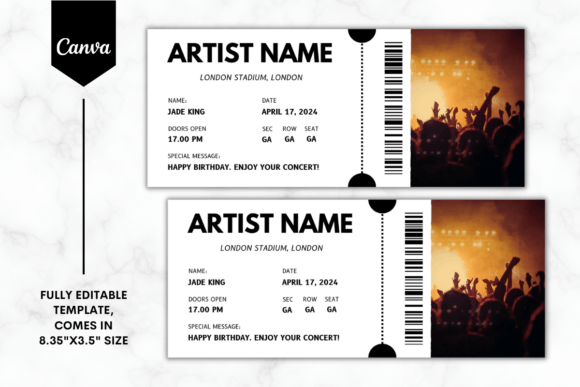
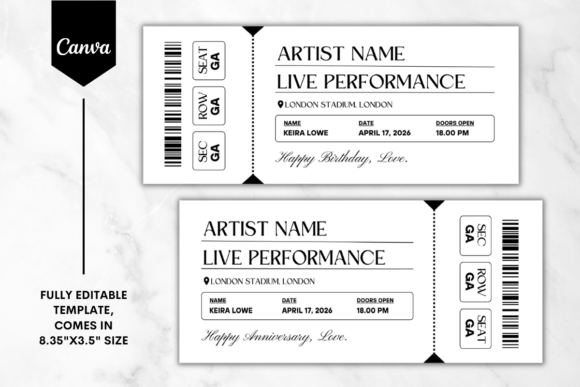
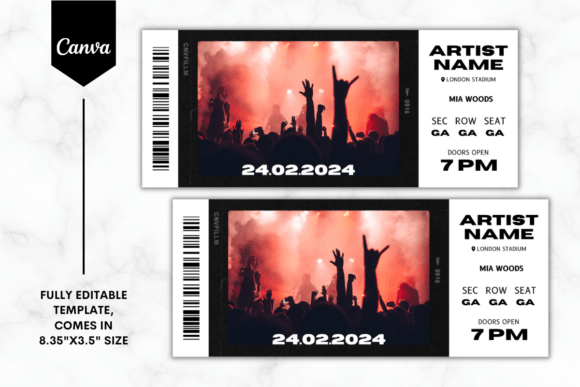
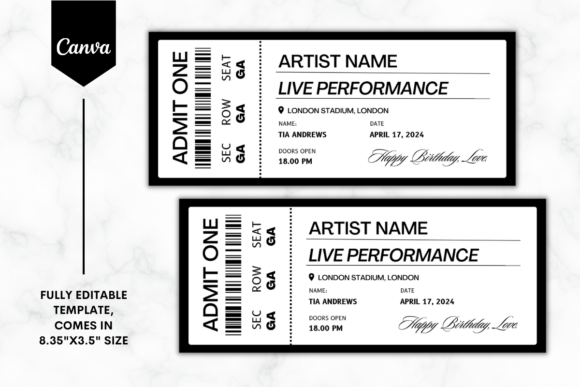
A ticket shape holds up best in motion, and the Custom Concert Ticket Canva Template, rated 5.0 across 2 reviews with 182 saves, reads instantly at thumbnail size. If you would rather generate than design, the invitation generator page covers that route honestly.
What a designer charges, and why you can skip it
How much to charge for birthday invitation design is a question I see from both sides, and the shape of the answer is the same either way. A custom card is priced by rounds of revision, not by the drawing.
A designer sets your page, sets your margin, picks a font that reads small, and then changes a name three times. You now know every one of those steps.
So the honest trade looks like this:
- Hire out when the party is a milestone and you want nobody touching it again.
- Do it yourself when the card has one name, one date and one place.
- Buy the font when you like the look but not the layout. This is the cheapest route in time.
I have taken all three routes. The one I regret is hiring out a card that needed a name changed the next week.
A calligraphic font on a milestone card does most of what you are paying a designer for, and the rest is the margin you now set yourself.
Matching envelopes and the address side nobody designs
Your card is designed and your envelope is an afterthought. Guests see the envelope first.
A 5 by 7 card drops into a standard card envelope with room to spare, which is the real reason that size became the default. 4 by 6 goes into a photo envelope. 4.25 by 5.5 needs a smaller one, so buy the envelope before you commit to the size.
Three small moves that make the outside match the inside:
- Set the addresses in the same plain type as your details, at 11 pt to 12 pt.
- Print a band of your card colour along the flap and nothing else.
- Keep 0.25 inches clear of every envelope edge, exactly as on the card.
Hand write the names when you have twenty guests and print them when you have more. Mine are hand written, badly, and nobody has ever minded.
A romantic script used small works on a flap where it would be unreadable on the card, and the invitation envelope page has the sizes side by side.
When the aesthetic belongs on a screen, not in a printer
Sometimes the honest answer is that you should not print it at all. When your guest list lives in a group chat, paper is a ritual rather than a delivery method.
On a screen your constraints invert. Nothing is trimmed, so your border is safe. But the card arrives at thumbnail size in a feed, and an 11 pt date line is simply gone.
What changes for a digital send:
- Canvas: 1080 by 1920 px, so it fills a phone rather than floating in it.
- Type: everything one step larger than you would print.
- Detail: drop one element. A screen crops harder than any printer.
Sending it by email needs the same restraint, and the invitation email page handles the wording.
And when you want paper without the fight, let somebody else print it. Custom printed invitations arrive trimmed, with envelopes, and the bleed is their problem.
Where the free aesthetic template runs out
Free aesthetic invitations are real and some of them are lovely. They run out in one specific place, and it is always the same place.
They arrive as a flat PDF. Your border cannot move, your page size cannot change, your script cannot be swapped, and your name goes into a box somebody else positioned.
Every number in this article is then out of your hands:
- You cannot pull the frame to the 0.25 inch safe margin, so your printer decides your border.
- You cannot add 0.125 of bleed, so a wandering cut shows white.
- You cannot turn the card sideways, so one card eats one sheet.
- You cannot lift the name to 36 pt, so a long name stays small.
And it is one card. Your banner, your tags and your toppers are not in that download, which is why a party that looked coordinated on screen arrives as one nice invitation and seven mismatched extras.
An editable birthday invitation Canva file hands every one of those numbers back to you. That is the entire difference, and it is not a matter of taste.
My own shortcut after a few wasted evenings is simple. I buy the font and the elements and keep the layout mine, because the layout is the part that has to fit my sheet and my printer.
A themed variant splits the same way, which the first birthday invitation templates for wild one and two fast page works through on a card where the wording is the theme.

Questions people ask before they print
What size should a birthday invitation be?
5 by 7 inches is the default, which is 1500 by 2100 pixels at 300 DPI. 4 by 6 saves postage, and 4.25 by 5.5 gets you four per sheet. Pick it before the design, not after.
Why does my printer cut off the border?
Because the outer strip of the sheet belongs to the hardware. Keep your border 0.25 inches inside the trim and extend the background 0.125 inches past it.
How do I write a simple birthday invitation?
Five lines. Whose birthday, the date and time, the place, what kind of party, and how to reply. Anything else is decoration, and on a minimal card it reads as clutter.
What do you write in a birthday invitation card by hand?
One sentence addressed to that guest, under the printed details. Leave a blank band at the bottom of the card so your handwriting has somewhere to go.
How do I make a text birthday invitation?
Build at 1080 by 1920 pixels, set your type one step larger than print, and send the image rather than a file. A ticket shaped template reads best at thumbnail size.
How do I make a birthday invitation video free?
Animate one element of a still card at 1080 by 1920 pixels and export it short. It works as a message and not as a keepsake, so send it where your guests already talk.
How do I make a birthday invitation on Microsoft Word?
Set a custom page size under Layout, place the art as a picture behind the text, keep every word 0.25 inches inside the edge, and print at actual size.
How do I edit a birthday invitation card?
In Canva you open the link and type over the text. In a flat PDF you can only fill the fields the seller added, which is why editable files are worth the swap.
How much should I charge for birthday invitation design?
Price the revisions, not the drawing. The design takes an hour and the name changes three times, and that second part is what the work actually is.
Is a minimalist birthday invitation template easier to print?
Easier in ink and harder in margins. There is less on the page, so the one line near the edge carries the style, and that line is exactly what gets clipped.
What makes a boho birthday invitation template look right?
Warm neutrals, a dried flower palette and a romantic script. Keep the botanical art inward, like a wreath, so none of it reaches the trim.
How is an elegant birthday invitation template different?
High contrast, more white space and a calligraphic name. It is the style most hurt by small sizes, so set the name at 36 pt and nothing decorative under 18 pt.
What paper should I use?
Matte cardstock around 216 gsm feeds easily and holds a hairline. 250 gsm feels like stationery, and some small printers will refuse it.
How many invitations fit on one sheet?
One 5 by 7 upright, two turned sideways, two 4 by 6, or four at 4.25 by 5.5. Turning the card sideways halves your paper.
Does a birthday invitation card template need bleed when I am not trimming?
No. A full sheet design nobody cuts needs only a safe margin, because your printer still keeps its strip.
Still choosing a style first? Browse the aesthetic invitation files and check the page size before anything else.
Key takeaways
- Size first, then margin, then font. Pretty survives all three being right.
- 5 by 7 at 300 DPI is 1500 by 2100 px; bleed 0.125, safe margin 0.25.
- Of 5411 aesthetic cards on offer, 984 sell a border and 3 mention bleed.
- Name at 36 pt, details at 11 pt to 12 pt, no script under 18 pt.
- Turn the card sideways and twenty guests cost ten sheets instead of twenty.
- 216 gsm holds a hairline; 250 gsm feels like stationery and jams small printers.
- A flat PDF locks your page, your border and your type size. Editable gives them back.
The fastest version of all of this: pick one font with even strokes, set the page to 5 by 7, draw your guide at 0.25 inches, and type.